Everything your images need — explained
AltGenie is not just an alt-text generator. It is a full image accessibility and SEO toolkit that lives inside WordPress. Here is what each part does and why it matters.
Generation & bulk processing
Generate alt text on upload, process your whole library at once, or regenerate any single image — with A/B variants and captions.
Auto-generate on upload
Every new image gets alt text the moment you add it to the Media Library. No extra step, no forgetting.
Bulk-process existing libraries
Select every image flagged as missing alt text and generate descriptions for all of them in a single run.
Regenerate or edit any image
Open any image in the Media Library, edit its alt text by hand, or regenerate it with a different tone or context.
A/B variant generation
Produce three tones per image — descriptive, SEO-focused, and casual — and pick the one that fits best.
Caption generation
Generate captions in addition to alt text, for use in galleries, lightboxes, and editorial layouts.
History with rollback
Every generation is saved. Review what changed, and roll back a batch or a single image if the results are not right.
Accessibility & quality
Audit your library, score it, and catch the mistakes automated tools miss — including duplicate alt text.
Accessibility scanner
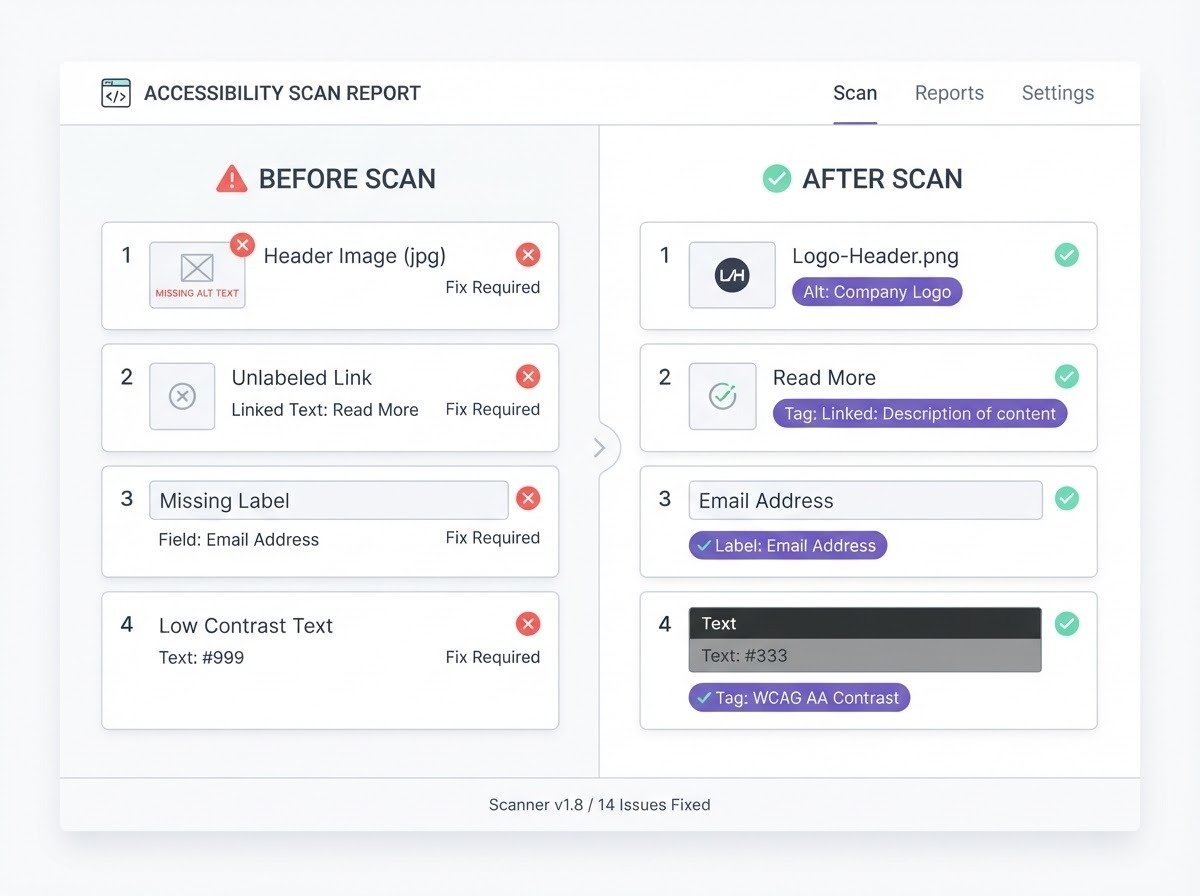
Runs across your entire media library and reports every image missing alt text, with a per-image fix action.
AI-visibility & accessibility score
A single score that tracks how accessible your images are over time, so you can prove improvement.
Duplicate-alt-text detector
Flags images that share identical alt text — a common accessibility and SEO mistake — and lets you fix each one individually, not just bulk-overwrite.
Public shortcode & REST output
Embed a site accessibility report on a page via shortcode or pull it via REST, so stakeholders can see the status.
Scheduled automatic scans
Recurring scans catch new images that slip through, with a failed-job retry queue so nothing gets lost.
Image SEO
Go past alt text into the rest of image SEO — structured data, sitemaps, front-end fixing, and social tags.
schema.org ImageObject JSON-LD
Output structured data for your images so search engines understand them as first-class objects, not just file references.
Image XML sitemap
Generate a dedicated image sitemap so your images are discoverable and indexable by image search.
Front-end live alt-fixing
Corrects alt text in theme and page-builder markup the generator never directly touched — fixing what is rendered on the page, not just the database.
Social alt tags
Outputs og:image:alt and twitter:image:alt so your images are described when shared on social platforms.
EXIF/IPTC-aware prompts
Optional metadata-aware prompts for photography and travel sites, so generated descriptions can use camera and location data.
Agency & scale
Built for people managing many sites — white-label reporting, multisite, and the command line.
White-label PDF reports
Deliver a real downloadable PDF — your agency name, logo, and footer — certifying a client site's image accessibility. Not a browser print dialog.
Multisite network settings
Manage configuration across every site in a network from one place.
WP-CLI commands
Run scans and bulk generation from the command line for large or automated workflows.
WPML/Polylang workflows
Optional multi-language alt-text workflows so you can generate and manage descriptions per language.
Watch a broken library heal itself
The scanner flags missing and duplicate alt text across your whole library, then tracks your accessibility score as AltGenie fixes each image — from 20% to 98%.
Ready to try it?
Free tier on your own key, or Demo Mode with no API key at all.