Give your media a voice.
And your SEO a vision.
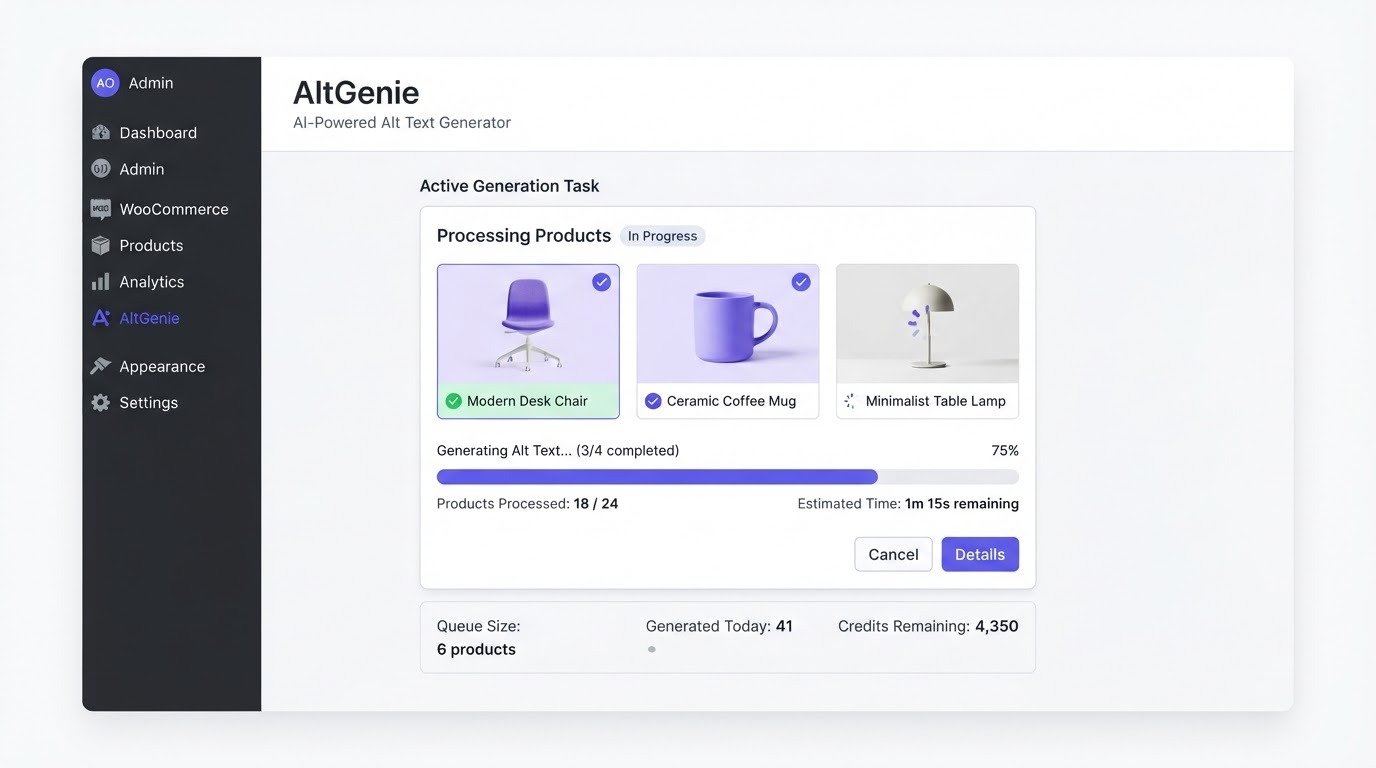
AltGenie generates SEO-friendly, accessible image alt text with AI — right inside wp-admin. Bulk-process your media library, audit accessibility, and ship inclusive images without editing each one by hand.
No API key needed to try · Demo Mode · Free forever
generated alt
"Tan leather hiking boot on white background, laced up"
WordPress.org · [STAT TBD] installs · [STAT TBD] rating
Works with WooCommerce and every major page builder
Missing alt text is not a minor oversight. It is a real failure.
Most WordPress sites accumulate hundreds or thousands of images over years — and most of them have no alt text. Here is why that matters.
Screen reader users are locked out
When an image has no alt text, a blind visitor using a screen reader gets nothing — or worse, a file name read aloud. Missing alt text is one of the most common WCAG failures found in audits.
You lose image search rankings
Google Images and Google Lens use alt text to understand and index images. Without it, your images are invisible to visual search and you miss a real traffic channel.
ADA and WCAG lawsuits are rising
Accessibility lawsuits under the ADA have climbed sharply, and missing alt text is one of the easiest defects for a plaintiff to point to. It is not theoretical risk — it is documented and growing.
From missing to done in four steps
No spreadsheets, no manual editing, no bolted-on SaaS dashboard. It all happens inside wp-admin.
- 01
Connect your key — or use Demo Mode
Add your own OpenAI, Google Gemini, or Cloud Vision API key. No key yet? Demo Mode generates sample descriptions so you can see it work first.
- 02
Scan your media library
AltGenie flags every image missing alt text and detects duplicates — across your whole library, not one page at a time.
- 03
Review and bulk-generate
Pick a tone, generate alt text for everything at once, review the results, and roll back anything you do not like.
- 04
Auto-generate on upload
Turn it on and every new image gets alt text the moment it is added. Schedule recurring scans to catch anything that slips through.
Everything your images need — not just one field
AltGenie goes past alt text into real accessibility auditing and the rest of image SEO, organized into four groups.
Generation & bulk processing
Generate alt text on upload, process your whole library at once, or regenerate any single image.
- Auto-generate alt text on image upload
- Bulk-process existing media libraries with missing alt text
- Regenerate or edit any single image from the Media Library
- A/B variants — three tones per image (descriptive, SEO, casual)
- Caption generation in addition to alt text
Accessibility & quality
Audit your library, score it, and catch the mistakes automated tools miss.
- Accessibility scanner with reports and an AI-visibility score
- Quality scoring across your whole library
- Duplicate-alt-text detector with per-image fix actions
- Public shortcode/REST output to embed a site report
- Full generation history with rollback
Image SEO
Go past alt text into the rest of image SEO — schema, sitemaps, and social tags.
- schema.org ImageObject JSON-LD
- Image XML sitemap
- Front-end live alt-fixing for theme and page-builder markup
- og:image:alt and twitter:image:alt social tags
- Optional EXIF/IPTC-metadata-aware prompts
Agency & scale
Built for people managing many sites — white-label, multisite, and the command line.
- White-label client reports as a real downloadable PDF
- Scheduled automatic scans and a failed-job retry queue
- WP-CLI commands for agencies and large sites
- Multisite network settings
- Optional WPML/Polylang multi-language workflows
Product image libraries are huge. AltGenie was built for them.
A store with a thousand products can have ten thousand images — most with no alt text. AltGenie understands WooCommerce data, so it generates descriptions that actually describe the product.
- Uses product title, description, and attributes as context — alt text fits the product, not just the image.
- Bulk-process entire product image libraries in one run.
- Generate bulk titles and descriptions alongside alt text (Pro and Agency).
- Catch duplicate alt text across product galleries before it hurts you.

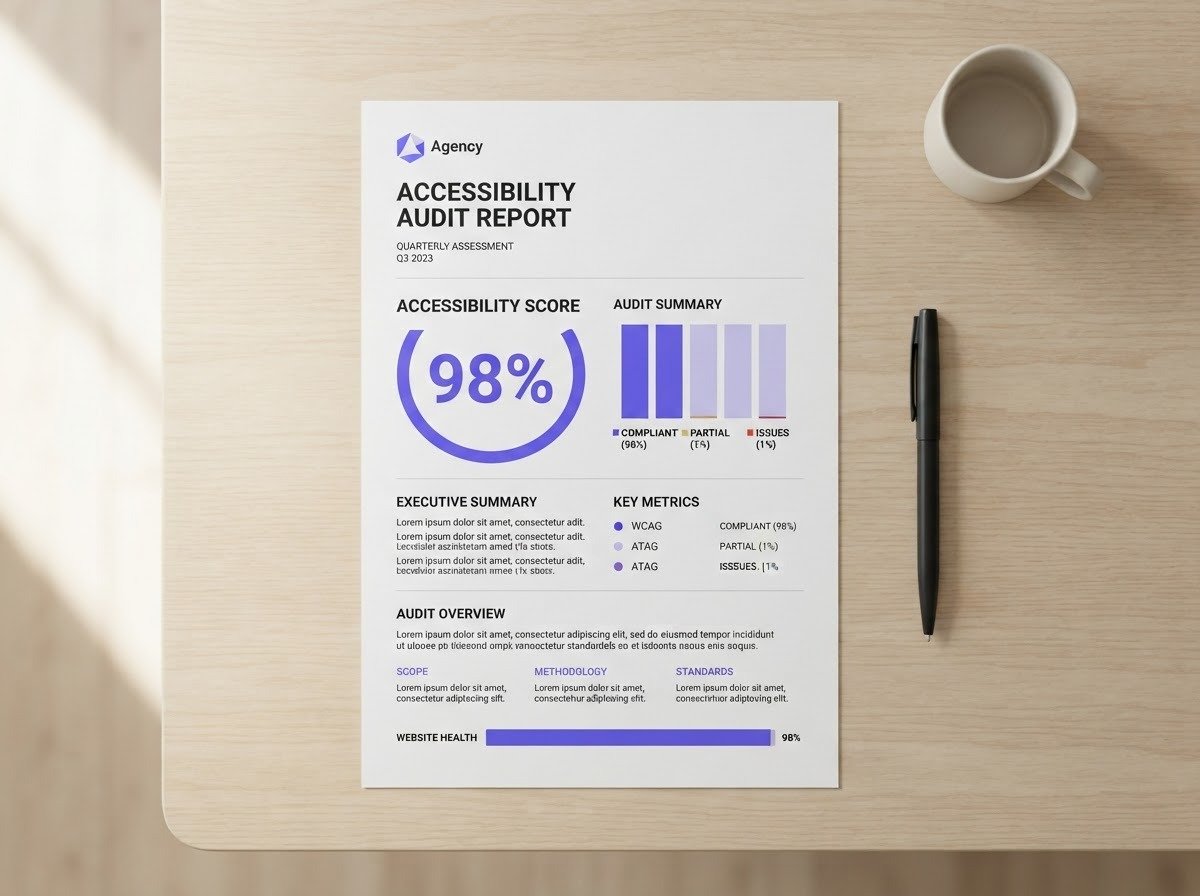
Built for agencies, not just single-site owners
If you manage accessibility and SEO across multiple client sites, you need to prove the work — not just do it. AltGenie gives you the tools to deliver and report at scale.
White-label client reports
Deliver a real downloadable PDF — your agency name, logo, and footer — certifying a site's image accessibility. Not a browser print dialog.
Multisite network settings
Manage configuration across every site in a network from one place.
WP-CLI commands
Run scans and bulk generation from the command line for large or automated workflows.
AltGenie vs. manual work vs. a hosted-credit SaaS
On the dimensions that actually matter when you are fixing alt text at scale.
| Dimension | AltGenieBYOK · WordPress-native | Manual workBy hand | Generic hosted-credit SaaSCategory, not a named brand |
|---|---|---|---|
| Cost model | BYOK — pay your provider's real price | Free (your time) | Hosted credits with a markup |
| Where it lives | Inside wp-admin, WordPress-native | Manual editing in wp-admin | Bolted-on SaaS dashboard |
| WooCommerce context | Uses product data as context | You write it per image | Image-only, no product context |
| Page-builder support | Gutenberg, Elementor, Divi, Beaver, Bricks, YOOtheme | Manual per builder | Limited or none |
| Accessibility auditing | Scanner, score, duplicate detector | None | Basic or none |
| Image SEO scope | Schema, sitemap, social tags, front-end fixing | Alt text only | Alt text only |
| Agency features | White-label PDF, multisite, WP-CLI | None | None |
Pay for the plugin. Not for every image.
The free tier is 50 generations per month — stated plainly, no asterisks. Pro and Agency are annual licences; the AI itself is still billed by your own provider.
Free
Try it, or run a small site indefinitely
$0
forever
AI billed by your provider. Gemini's free tier usually covers a small site entirely.
Request the free build- Bring your own OpenAI, Gemini or Google Vision key
- Auto-generate on upload
- Bulk generation with pause and resume
- Accessibility scanner and coverage score
- Version history and one-click rollback
- Demo Mode — no key needed
- Quality scoring and review queue
- Page-builder sync and WooCommerce products
- 68 languages
Pro
One site, everything unlocked
$49
/ year · 1 site
AI billed by your provider — roughly $4 per 10,000 images on Gemini. Never to us.
Buy Pro- Everything in Free
- Image SEO suite — schema.org data and image sitemap
- Open Graph and Twitter image tags
- Front-end repair of missing alt attributes
- Alt, title and description in one call
- EXIF and IPTC photo context
- Scheduled automatic scans
- White-label client reports with your name and logo
- Multisite network-wide provider settings
- WP-CLI commands for very large libraries
- Automatic plugin updates
- Email support
Agency
Every client site you build or maintain
$149
/ year · unlimited sites
One provider key can serve every client, still billed at cost.
Buy Agency- Everything in Pro, on every site you run
- Unlimited site activations
- One licence across your whole client portfolio
- WCAG 2.1 and European Accessibility Act statement
- Priority email support
See what AltGenie actually saves you
Drag the slider to match your media library size — the savings recalculate live, so you see the real trade-off between writing alt text by hand and letting AltGenie do it.
The size you'd realistically want fully captioned.
500 images × 90s each at $30.00/hr.
500 images × $0.01 AI cost/image. Bulk-run, not human time.
You save
That's the time and money back in your day for 500 images.
Estimates only — adjust the assumptions above. Real AI cost depends on your provider, model, plan, and image size.
What customers say
Note: No real testimonials exist yet. These are clearly labeled placeholder quotes — they will be replaced with real, attributed feedback as customers share it.
We manage accessibility for [NUMBER] client sites. The white-label PDF report alone saved us a day a week of manual reporting.
[CUSTOMER NAME]
[COMPANY / ROLE]
Our WooCommerce store had [NUMBER] product images with no alt text. AltGenie processed all of them in one run and the descriptions actually named the products.
[CUSTOMER NAME]
[COMPANY / ROLE]
Bring-your-own-key was the deciding factor. We pay our provider directly instead of a markup, and the cost dropped noticeably.
[CUSTOMER NAME]
[COMPANY / ROLE]
Questions, answered
Not to try it — Demo Mode works with no key at all and generates sample descriptions. For real generation on your live images, yes: AltGenie is bring-your-own-key. You add your own OpenAI, Google Gemini, or Google Cloud Vision API key, so cost scales with the provider's real price rather than a markup. A managed plan is also available if you prefer not to manage a key.
Yes. AltGenie has deep WooCommerce integration — it uses product title, description, and attributes as context so generated alt text fits the product, and it can bulk-process entire product image libraries.
The free tier allows 50 generations per month with your own API key. Once you hit the cap, you can wait for the next month, or upgrade to Pro or Agency to raise or remove the limit and unlock image schema, sitemaps, front-end alt-fixing, and more.
Pro is a single-site license. Agency is unlimited sites. Both are sold through LemonSqueezy-hosted checkout.
No. Generation happens in wp-admin and via background processing; it does not add front-end scripts or payload to your live pages. The image SEO extras (schema, sitemap, social tags) are lightweight metadata.
Your API key is encrypted at rest. Images and their metadata are sent to whichever AI provider you configure (OpenAI, Google Gemini, or Google Cloud Vision) for generation — they are processed by that provider, not stored by AltGenie. If you use the managed plan or a direct license, license and site data are sent to AltGenie's own servers.
Yes. AltGenie supports optional WPML/Polylang multi-language alt-text workflows so you can generate and manage alt text per language.
AltGenie supports Gutenberg, Elementor, Divi, Beaver Builder, Bricks, and YOOtheme. It also has front-end live alt-fixing that corrects alt text in theme and page-builder markup the generator never directly touched.
Start fixing your media library today — free.
Try Demo Mode with no key at all, or bring your own and bulk-process your missing alt text. Upgrade when you need more.